Blender Project
Marble Music Project
Blender creates the "Marble Music" animation - a physics-based showcase featuring marbles creating music through interactions with instruments and surfaces.
Animation Concept
- Physics Simulation: Realistic marble dynamics and collisions
- Procedural Animation: Automated marble positioning and timing
- Visual Storytelling: Music synchronized with visual elements and images on the wall
- Technical Demo: Pipeline automation showcase
Dockerized Blender Environment
- Before: running a poetry based python virtual environment on Linux
- After: running inside a docker container with all dependencies pre-installed
Dockerfile
I added comments to explain each section of the Dockerfile used for this project and how they relate to the project requirements.
Here's a summary of the key sections:
- Build stage: Includes build tools and development headers for compiling Python packages
- Runtime stage: Minimal dependencies only, optimized for production use
- Security: Non-root user creation and proper file permissions
- Optimization: Multi-stage build to reduce final image size
# Build stage - includes build tools and development headers
FROM python:3.11-slim AS builder

# Install build dependencies (will be discarded in final image)
# These are needed to compile Python packages with C extensions:
# - build-essential: Basic compilation tools (gcc, make, etc.)
# - gcc: C compiler for building native extensions
# - libasound2-dev: ALSA audio development headers (for PyAudio, sound processing)
# - portaudio19-dev: PortAudio development headers (for audio I/O)
RUN apt-get update && apt-get install -y \
    build-essential \
    gcc \
    libasound2-dev \
    portaudio19-dev \
    && rm -rf /var/lib/apt/lists/*

# Pin Poetry to a known version to avoid lockfile drift and ensure reproducible installs.
RUN pip install --no-cache-dir poetry==1.8.4

# Configure Poetry for build stage
ENV POETRY_NO_INTERACTION=1 \
    POETRY_VIRTUALENVS_IN_PROJECT=1 \
    POETRY_CACHE_DIR=/tmp/poetry_cache

WORKDIR /app

# Copy dependency files first for better layer caching
COPY pyproject.toml poetry.lock* ./

# Install dependencies in builder stage
RUN poetry install --only=main --no-root && \
    rm -rf $POETRY_CACHE_DIR && \
    find /app/.venv -type f -name "*.pyc" -delete && \
    find /app/.venv -type d -name "__pycache__" -exec rm -rf {} + 2>/dev/null || true && \
    find /app/.venv -type f -name "*.pyo" -delete && \
    find /app/.venv -type f -name "*.pyd" -delete


# Runtime stage - minimal dependencies only
FROM python:3.11-slim

# Install only runtime dependencies (no build tools) and clean up in same layer to reduce size
# Audio processing libraries (for MIDI synthesis and sound generation):
# - libasound2: ALSA audio system runtime
# - libportaudio2, libportaudiocpp0: PortAudio runtime for audio I/O
# - fluidsynth, libfluidsynth3: FluidSynth for MIDI synthesis
# - ffmpeg: Audio/video processing and format conversion
#
# Blender GUI libraries (for headless rendering):
# - libgl1, libglu1-mesa: OpenGL runtime for 3D rendering
# - libx11-6, libx11-xcb1, libxcb1: X11 window system (headless)
# - libxcomposite1, libxcursor1, libxdamage1, libxfixes3: X11 extensions
# - libxinerama1, libxrandr2, libxrender1, libxss1: X11 display management
# - libxxf86vm1, libxi6, libxkbcommon0: X11 input and keyboard
# - libice6, libsm6: X11 session management
#
# System libraries:
# - libglib2.0-0: GLib system library (used by many apps)
# - libgomp1: OpenMP threading library (for parallel processing)
# - libfontconfig1: Font configuration (for text rendering)
# - make: Build tool (for running Makefiles in container)
RUN apt-get update && apt-get install -y --no-install-recommends \
    libasound2 \
    ffmpeg \
    fluidsynth \
    libfluidsynth3 \
    libfontconfig1 \
    libgl1 \
    libglu1-mesa \
    libglib2.0-0 \
    libgomp1 \
    libice6 \
    libportaudio2 \
    libportaudiocpp0 \
    libsm6 \
    libx11-6 \
    libx11-xcb1 \
    libxcomposite1 \
    libxcursor1 \
    libxdamage1 \
    libxfixes3 \
    libxinerama1 \
    libxkbcommon0 \
    libxrandr2 \
    libxrender1 \
    libxss1 \
    libxxf86vm1 \
    libxcb1 \
    libxi6 \
    make \
    && rm -rf /var/lib/apt/lists/* \
    && apt-get autoremove -y \
    && apt-get autoclean \
    && rm -rf /tmp/* /var/tmp/* \
    && rm -rf /var/cache/apt/archives/*

# Copy the virtual environment from builder stage
COPY --from=builder /app/.venv /app/.venv

# Clean up any remaining cache and temporary files to reduce image size
RUN find /app/.venv -type f -name "*.pyc" -delete && \
    find /app/.venv -type d -name "__pycache__" -exec rm -rf {} + 2>/dev/null || true && \
    rm -rf /root/.cache/pip && \
    rm -rf /tmp/* && \
    # Strip binaries to reduce size (safe for Python binaries)
    find /app/.venv -type f -executable -exec strip {} \; 2>/dev/null || true

# Make sure we use venv
ENV VIRTUAL_ENV=/app/.venv \
    PATH="/app/.venv/bin:$PATH" \
    PYTHONPATH="/app"

# Create non-root user for security
ARG USER_NAME=blenderuser
ARG UID=1000
ARG GID=1000

RUN groupadd -g "$GID" "$USER_NAME" && \
    useradd -m -d /home/"$USER_NAME" -u "$UID" -g "$GID" -s /bin/bash "$USER_NAME"

# Prepare the application directory with the right ownership.
WORKDIR /app
RUN chown $USER_NAME:$USER_NAME /app

# Switch to the non-root user
USER $USER_NAME

# Pull in the rest of the source tree, keeping file ownership aligned with the container user.
COPY --chown=$USER_NAME:$USER_NAME . .

# Ensure the temp cache directory exists for runtime image caching.
RUN mkdir -p /tmp/blender_automation_image_caching/

# Python runtime optimization flags:
# PYTHONUNBUFFERED=1: Forces immediate stdout/stderr output instead of buffering (real-time Docker logs)
# PYTHONDONTWRITEBYTECODE=1: Prevents .pyc file creation (saves space and avoids permission issues)
ENV PYTHONUNBUFFERED=1 \
    PYTHONDONTWRITEBYTECODE=1

# Set user environment variables so shells and subprocesses behave normally inside the container:
# USER: Identifies the current user for scripts and tools
# HOME: Sets proper home directory for Poetry, pip, and shell configurations
ENV USER=$USER_NAME HOME=/home/$USER_NAME

# Declare volumes so Docker knows these paths get bind-mounted in most workflows.
# I will probably remove this later to avoid confusion
VOLUME ["/mnt/blender", "/app/output"]

# Default command
CMD ["make", "run"]
Script flow
- Simulate physics for marbles dropping onto instruments
- Add the actual 3d elements in the correct position defined by the previous step
- Calculate camera movements based on the marble positions
- Calculate positions for frames to be added to the wall, from image files stored in the project's directory
- Create an optimized file for local preview (reduced quality for performance)
- Create the final render file to be sent to the external render farm (removed unnecessary elements, high quality settings)
- Automation to send it to the render farm:
make sheepit-upload - Automation to download the rendered frames:
make sheepit-download - Automation to pre-process the frames, fixing invalid ones. Due to the nature of the distributed render farm, sometimes frames are not rendered correctly and need to be re-rendered locally.
- Automation to create the final video file, including audio synchronization:
make video - Automation to create video metadata, upload and schedule on YouTube.
Examples of videos created by this same automation script.
Screenshots
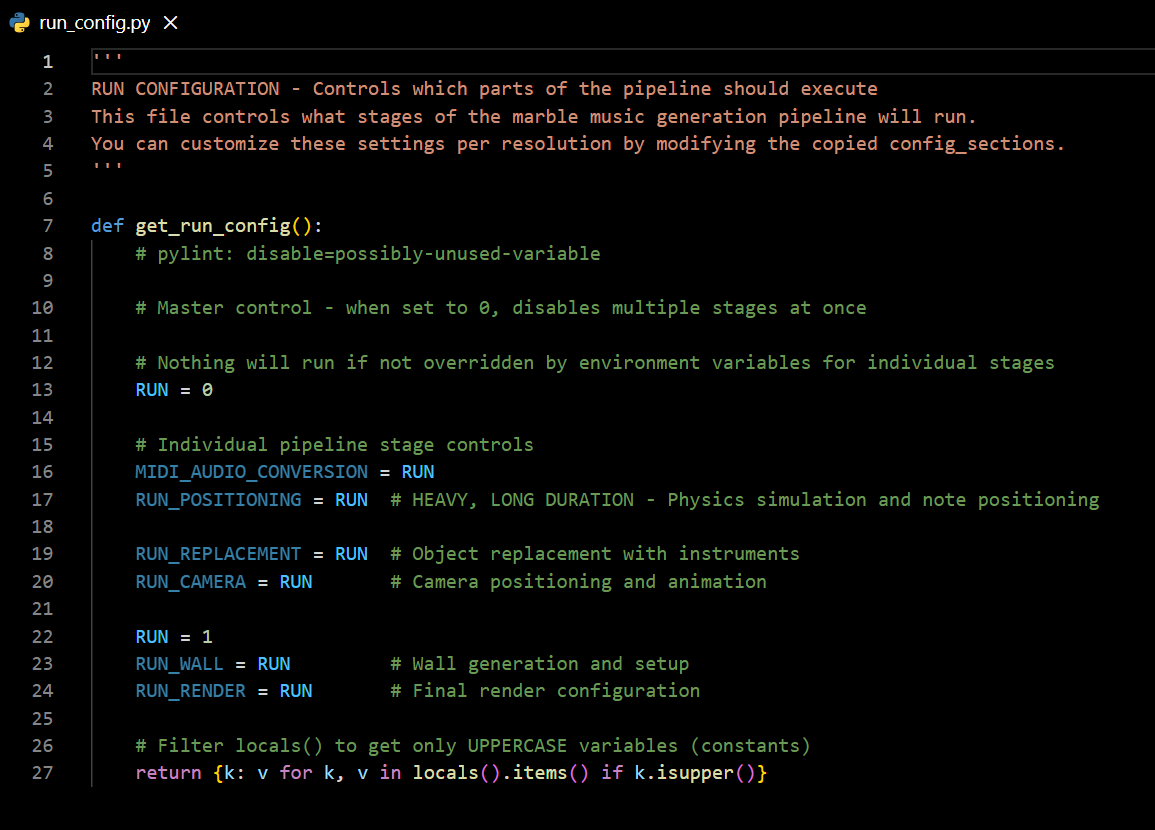
Variables that define which steps of the script will run (overwritten by environment variables during pipeline execution).
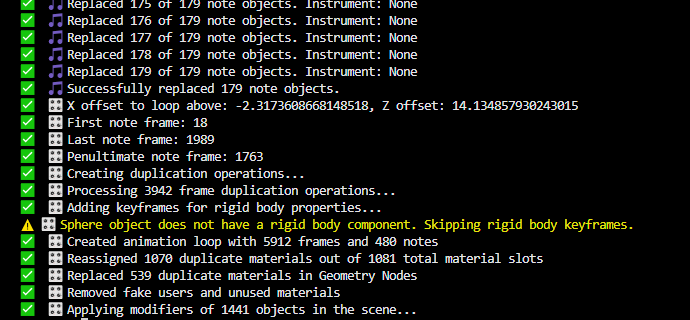
Replacing the initial cylinders used for physics simulation with the actual 3D models of the instruments and environment.
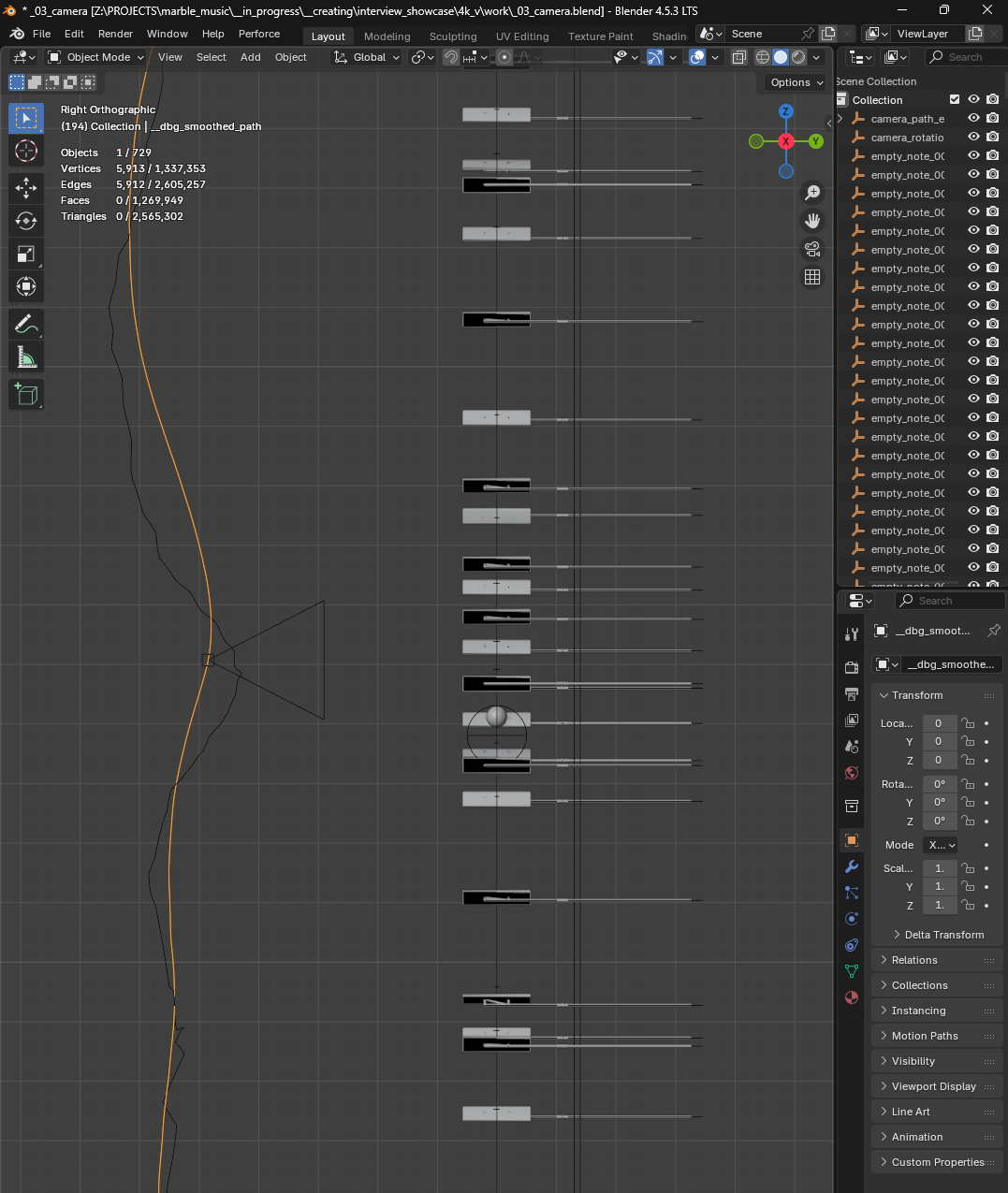
Calculating camera path/movements based on marble positions and scene layout.

Output files of the blender scripts

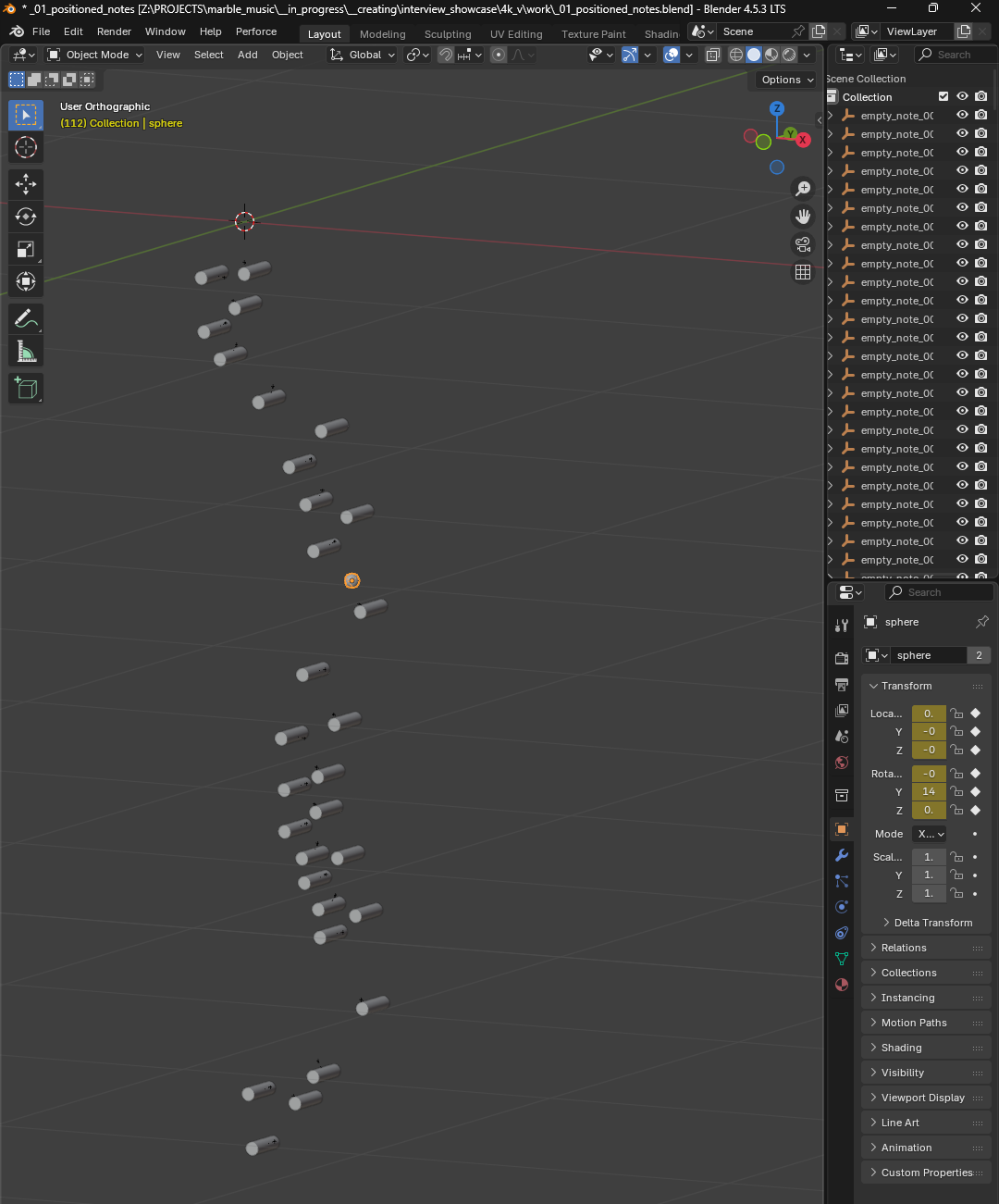
Output of the initial positioning algorithm
Camera position calculated based on marble positions and scene layout.
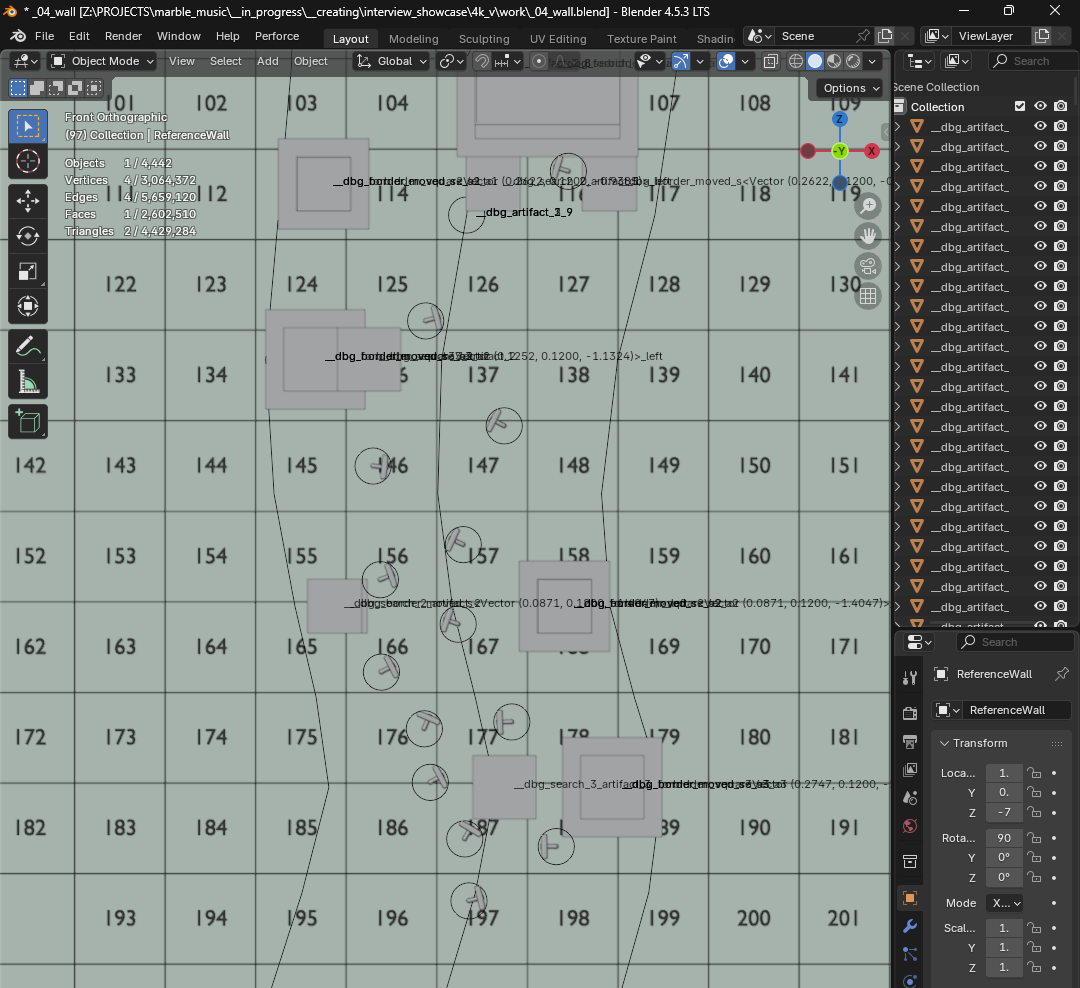
Wall elements debugging .blend file. Also allows for manual positioning from yaml configuration.
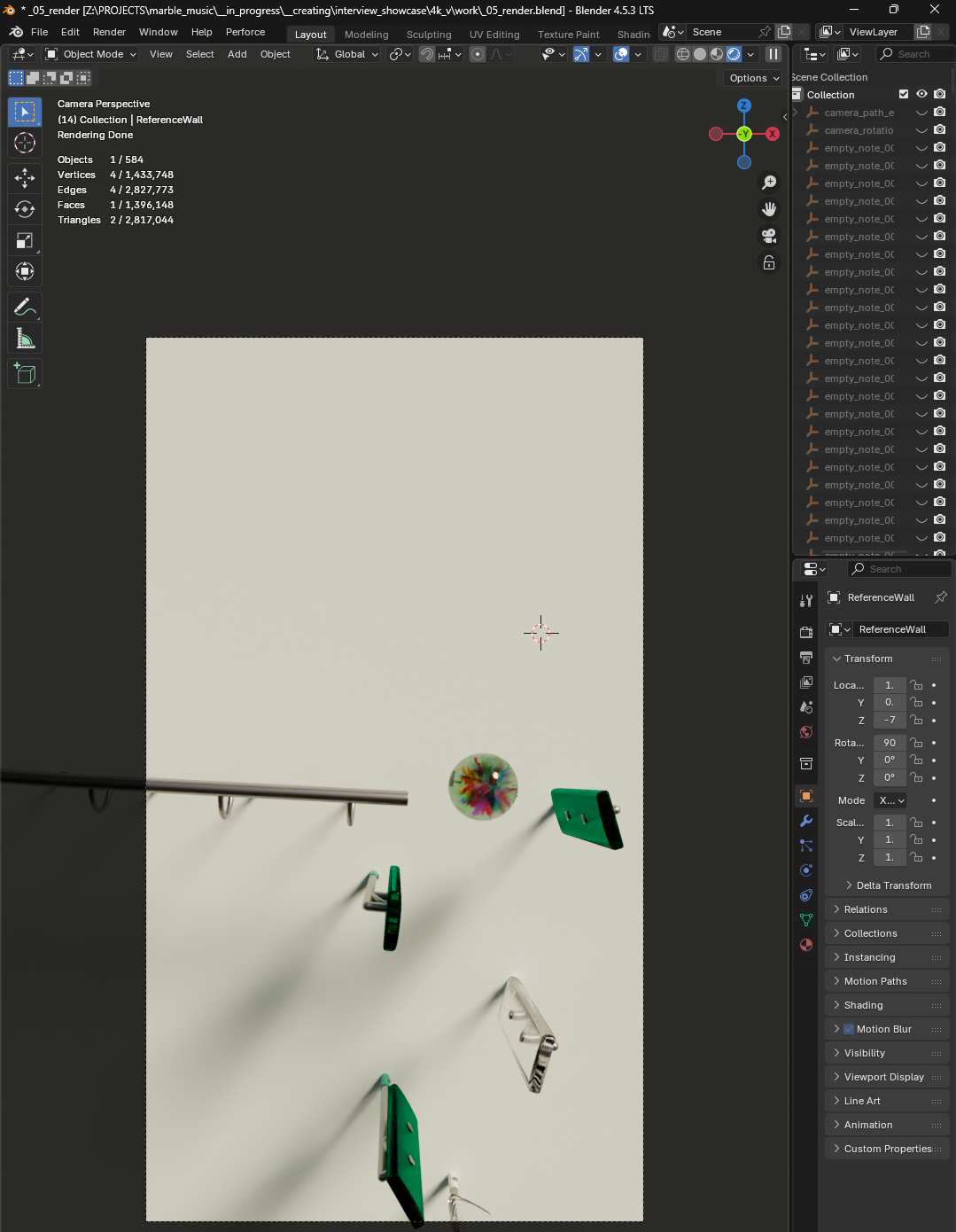
Final render file.
Improvements
I have hundreds of planned improvements and ideas for this project that I am doing in my spare time.
As this is a hobby project to learn 3D graphics I don't have a defined priority on how I select what to work on next, but it's being fun.